GridForge

Data Table Templates for Product UI

These aren't slide templates or spreadsheet layouts. They're starting points for the tables inside real software, built to be customized and shipped.

Start from a template, finish on the canvas

Pick a template, then change anything: add columns, nest rows, rename headers, and fill the data with Intelligent Fill. When it's right, export the code or copy it to Figma.

Template gallery

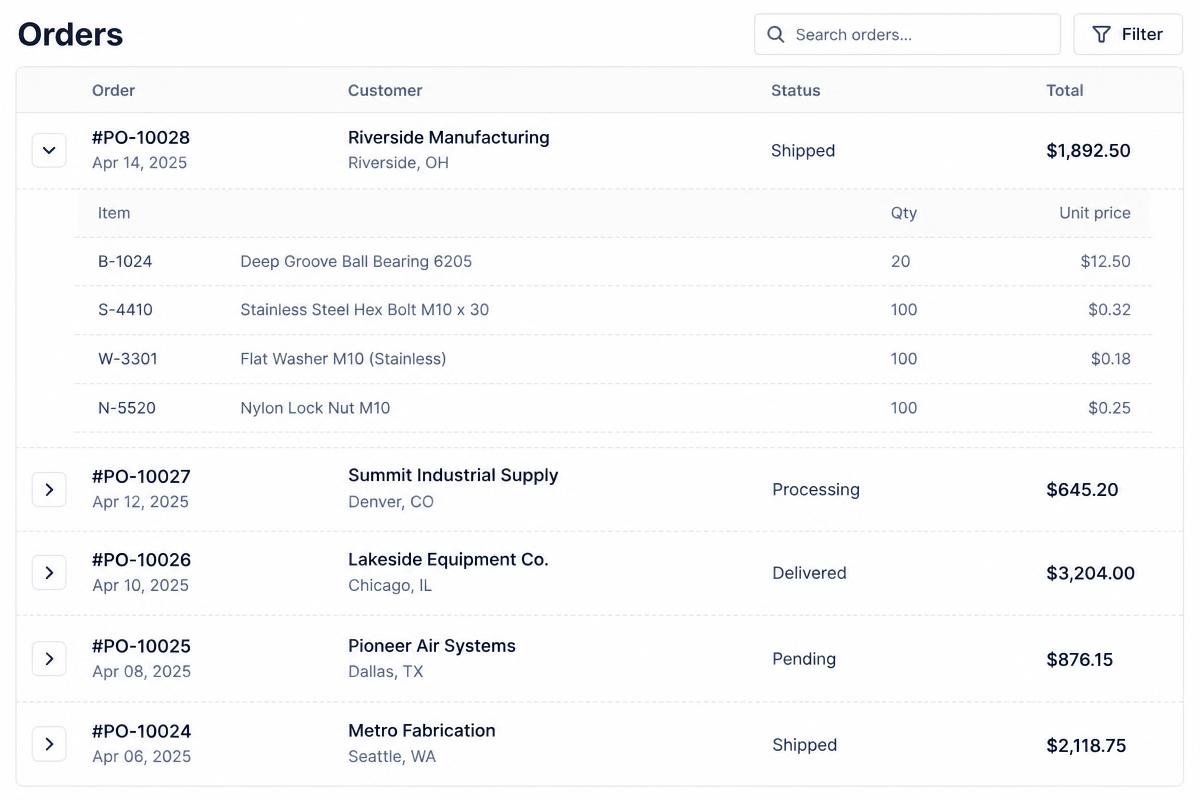
Concept inventory table with expanded order line items
Inventory

Inventory & orders

Orders with expandable line items, quantities and fulfillment status.
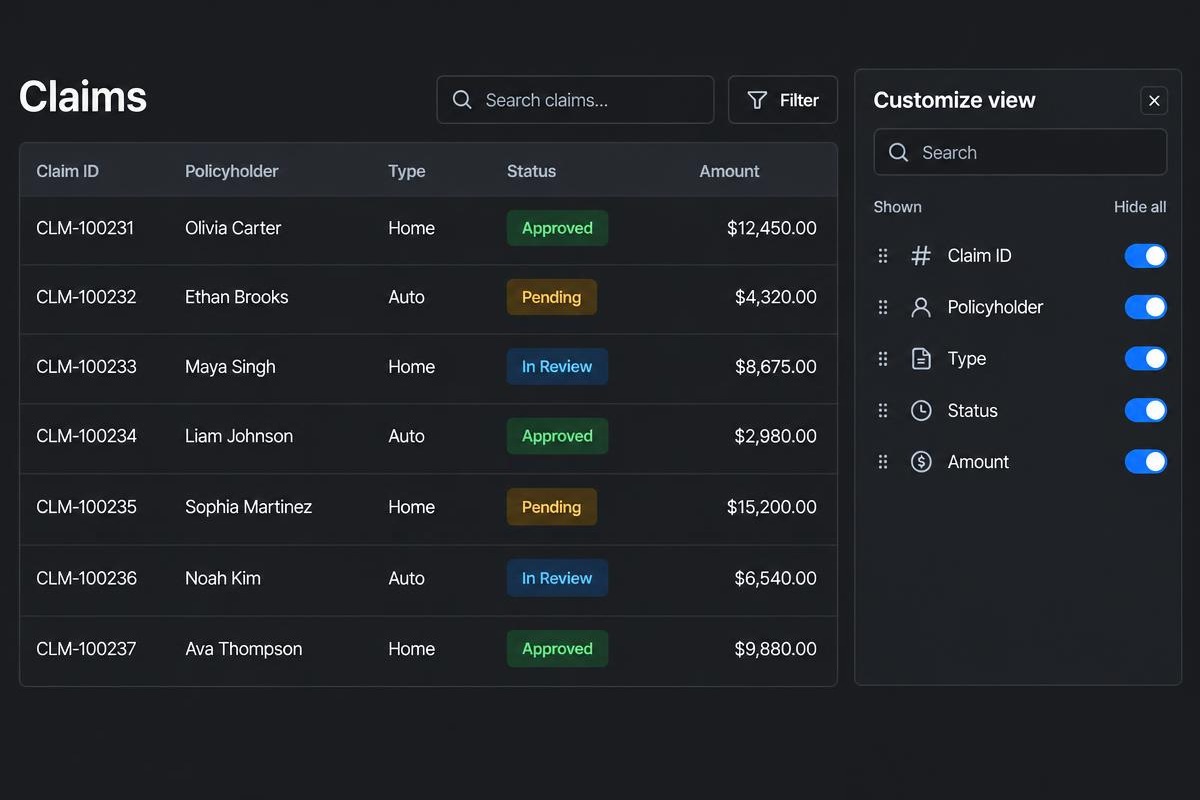
Concept insurance claims table with policyholders, status labels and a Customize view side panel
Insurance

Claims & policies

Claims, policyholders and review status in one scannable table.
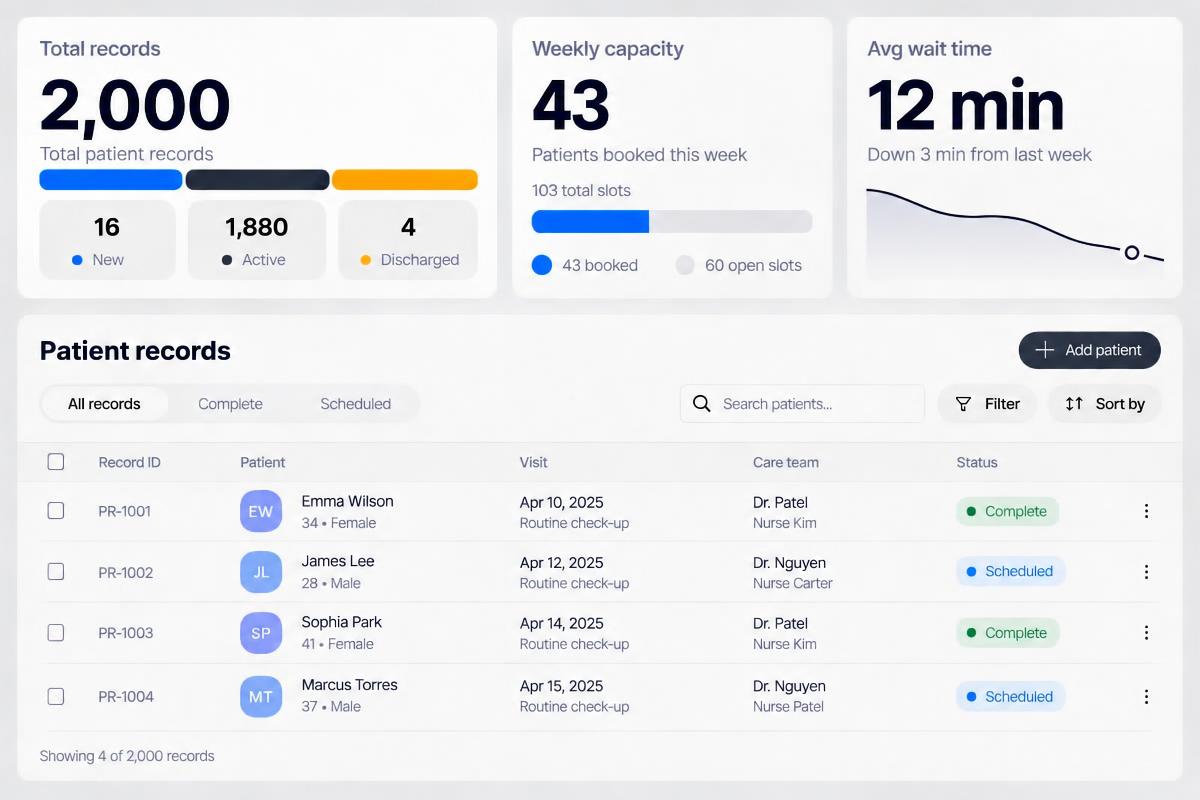
Concept patient dashboard showing 2,000 total records, weekly capacity of 43 booked patients and 60 open slots, and a 12 minute average wait time
Medtech

Patient records

Patient records, visits and care teams with clear status labels.
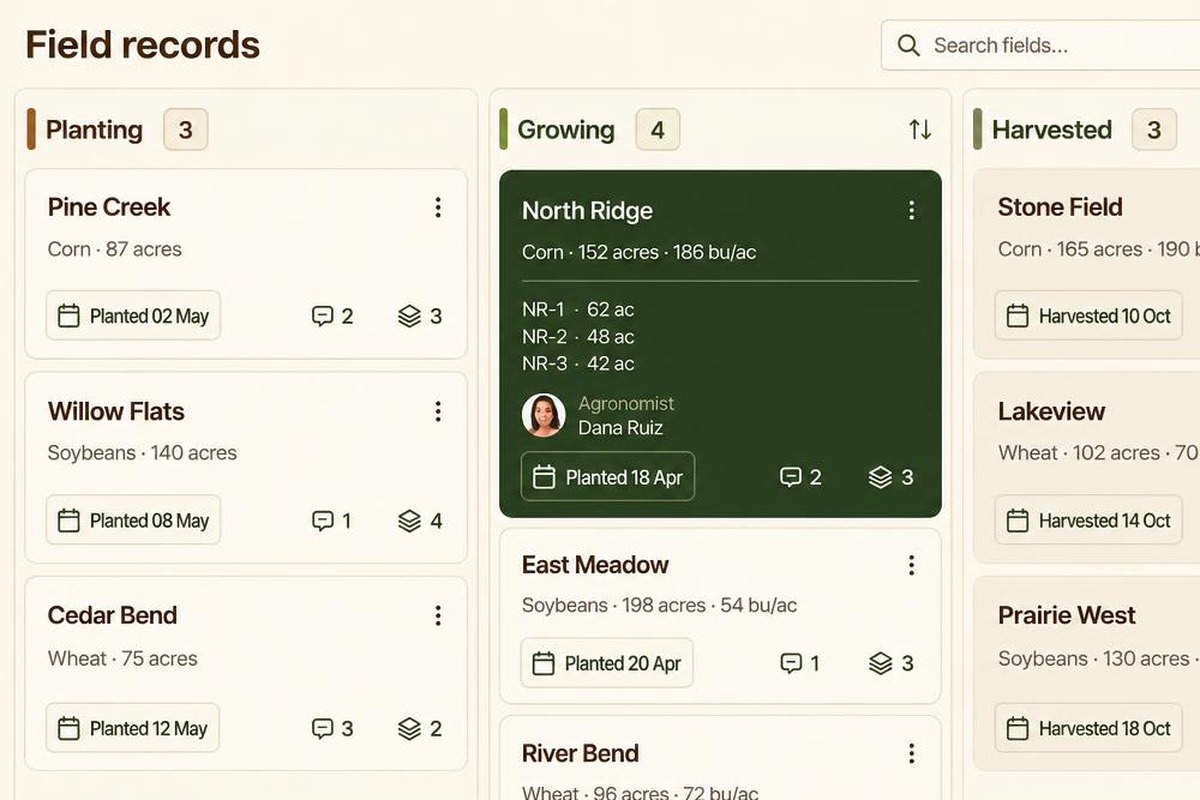
Concept agtech board of field cards grouped into Planting, Growing and Harvested columns
Agtech

Field & crop data

Fields grouped by crop stage, with lots, yields and dates on each card.

What every template includes

  • Semantic, accessible HTML structure
  • Frozen headers
  • Export to HTML/CSS, JSON or React
  • Copy to Figma and clickable prototype
  • Sortable columns and filter controls, ready to prototype

Reserve your spot for $1 to use the templates when GridForge goes live in summer 2027.

Frequently Asked Questions: Data Table Templates

The structure. Add, remove and nest columns and rows directly on the canvas.